

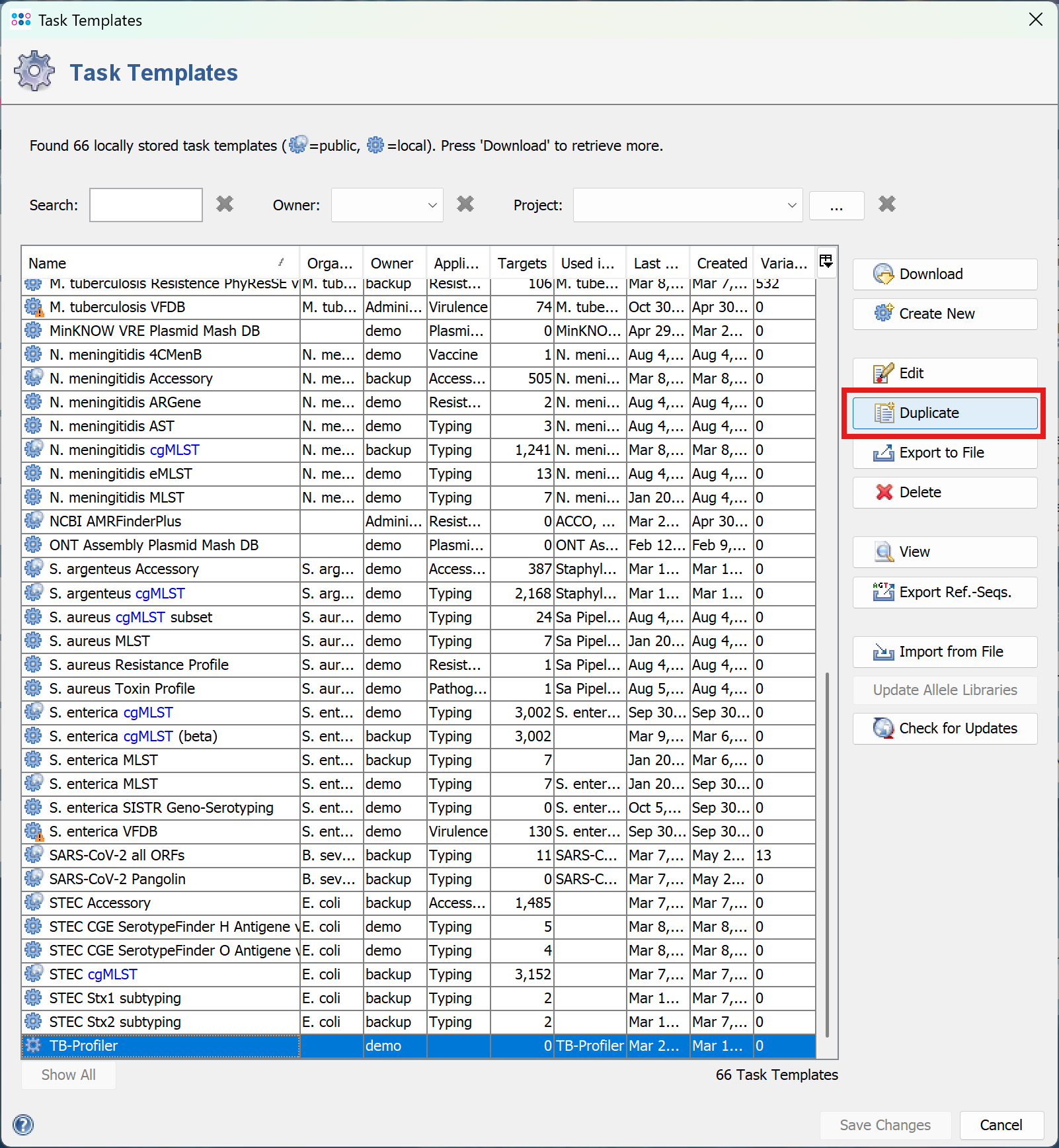
To change the TB-Profiler database we recommend creating a copy of the task template. To do so, open the Task Template Editor using the menu command Options > Task Templates.
Select the TB-Profiler task template and click Duplicate.
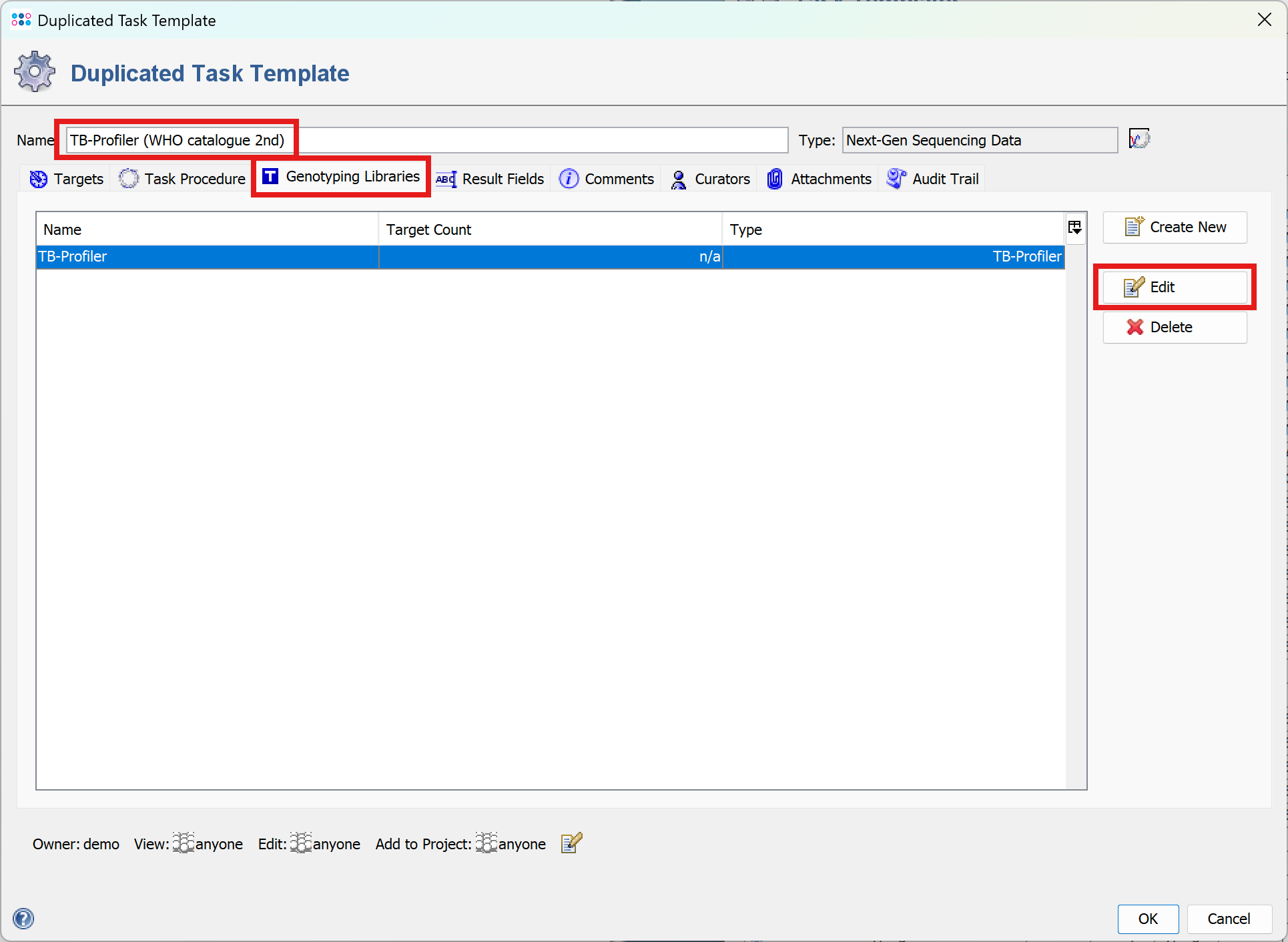
A window will open. Enter a name for the copy, e.g., TB-Profiler (WHO catalogue 2nd). Then click the Genotyping Libraries tab. Select TB-Profiler and click Edit.
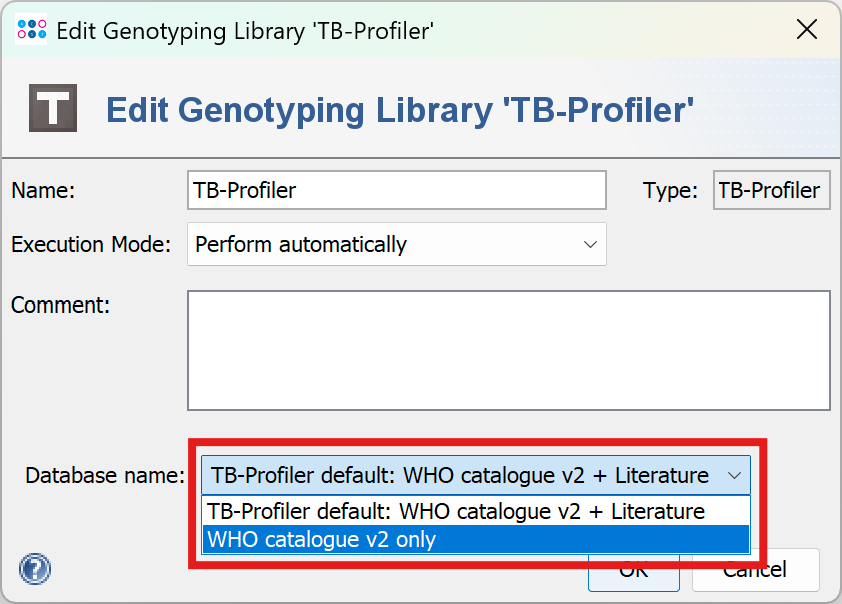
In the new window, select WHO catalogue v2 only as the database name, and close all windows by clicking OK.
Afterwards, make sure to add the new task templates to your projects. If wished already analyzed samples and be re-analyzed with the new task template by invoking the menu command Tools > Reprocess Samples.
FOR RESEARCH USE ONLY. NOT FOR USE IN CLINICAL DIAGNOSTIC PROCEDURES.